
In 2025, it has never been easier to connect with your clients than it is now. With a plethora of digital tools at your fingertips, you can significantly reduce time spent on administrative tasks while boosting your client engagement! Using digital online forms is a great place to start, so we’ve written a beginner’s guide to using online forms with PPS.
Step one: Make a list
Start with mapping out a typical day in clinic from the moment you turn the key in the front door and switch on the coffee machine to your journey home.
Having the whole day written out in front of you can help you identify key opportunities to introduce digital forms to optimise your time.
Step two: Outline opportunities
Once you have a good overview of a typical working day, highlight all of the possible opportunities to replace in-clinic admin tasks, this might look something like:
- New client registration – take some basic contact details, then send an online form allowing the client to fill in the blanks! This reduces your time spent on the phone or at the front desk
- Medical history questionnaire – sending an online form ensures you get all of the vital information needed to provide treatment before your client arrives for their appointment, giving you a chance to review the information and adapt accordingly
- Pre-treatment assessment form – similar to the medical history form, this allows you to extract the relevant information for the treatment booked and creates an opportunity to inform the client of what to expect from the session
- Client update/progress form – a great way to check in with your clients in between appointments to ensure that they are engaging in aftercare appropriately, and creates extra touchpoints that boost client confidence
- Updating client details – a minor admin task that can quickly become time-consuming if you are having to chase patients for information, send out an online form and let them do the rest!
Opportunities might also crop up to include additional support without requiring extra time and effort from you, this could include:
- Client feedback forms & general satisfaction surveys – get an insight into how you’re clients rate your services by asking for feedback! Using online forms to collect this data allows you to report on all of the info so you can keep an eye on how your doing long-term.
- Market analysis – use online forms to get to know your clients and build a detailed picture of your audience. This is a great tool for improving marketing activity and keeping up with competitors!
Step three: Create a draft
So now you have an idea of how you want to integrate online forms into your practice, you’ll need to start working on the content!
In some instances, this part will be a doddle! To build a client registration form, you just need to look at the data that you are already collecting when you have a new client and translate this into a form. You’ll already be collecting medical history data and probably have some pre-treatment assessment forms, too! Start with these forms to get you in the swing of things!
When it comes to completely new forms, take some time to consider what kind of data you want to collect, such as qualitative, quantitative or a combination of the two! And think about how this data could be used.
Our top tips:
For patient feedback forms: think about what information would be helpful to know and what kind of feedback you can react to; there’s no point in gathering information that you can’t do anything with!
When doing market analysis: think about your current challenges when it comes to communicating with your target market and consider what information might help to remedy this.
If you are creating pre-treatment assessment forms: use this as an opportunity to set expectations, include some key information on what might take place during the client’s upcoming session and how they might prepare (if applicable).
When building client progress forms: write down all of the progress indicators that you would typically check when a client comes in for a follow-up and include the most important in the online form. You can also use this opportunity to provide links to aftercare resources.
Step four: Using the forms builder
Once you have drafted your content, it’s time to create your forms. PPS contains a custom form designer that will enable you to build a suite of custom forms for your practice.
Check out our guide on using the custom forms designer here or watch this quick video tutorial.
Custom forms in PPS Express
If you are exclusively using PPS Express, you won’t yet have access to the forms designer, but don’t worry! You’ll still be able to have your own custom suite of forms, simply send your form content to our support team, who will then build the form for you. This includes any existing paper forms that you might have! Once the team have finished importing the form, you’ll be able to access it from PPS Express via the consultation notes or send it as an online form.
Step five: Go Live!
Now that you have your forms available in PPS, you are ready to go!
Follow our short guide on sending online forms in PPS here, or if you are using PPS Express, you’ll need to check out this guide.
Form resources
PPS comes pre-loaded with a range of forms that you can either use as they are or modify to suit your own needs! You can explore these forms in the forms designer in PPS or via the consultation screen in PPS Express.
We’ve also created some basic form templates that cover some of the use cases we have discussed in this article, including:
- New Client Registration Form
- Medical History Form
- Patient Satisfaction Form
- Market Analysis Form
- Update Client Details Form
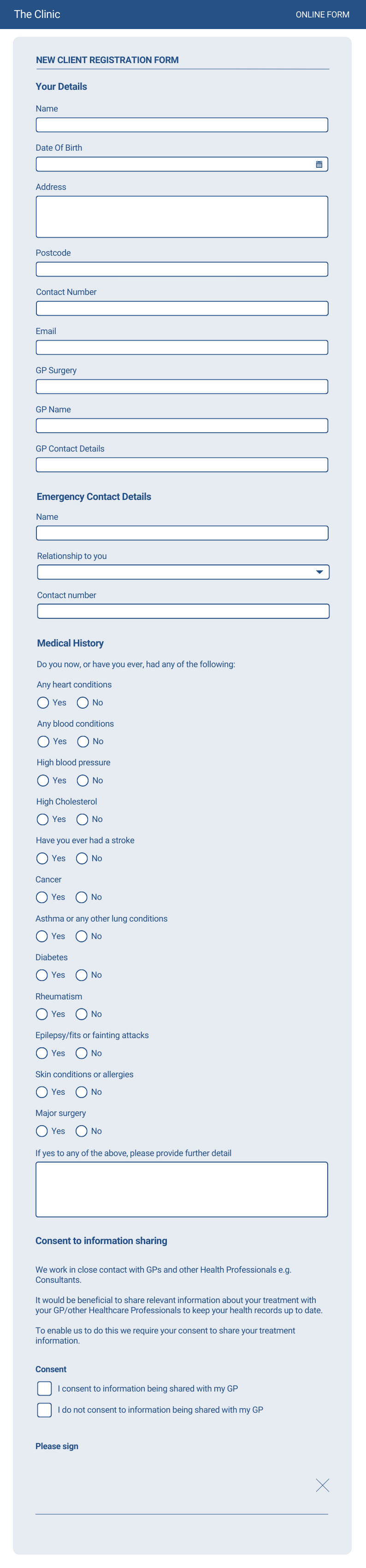
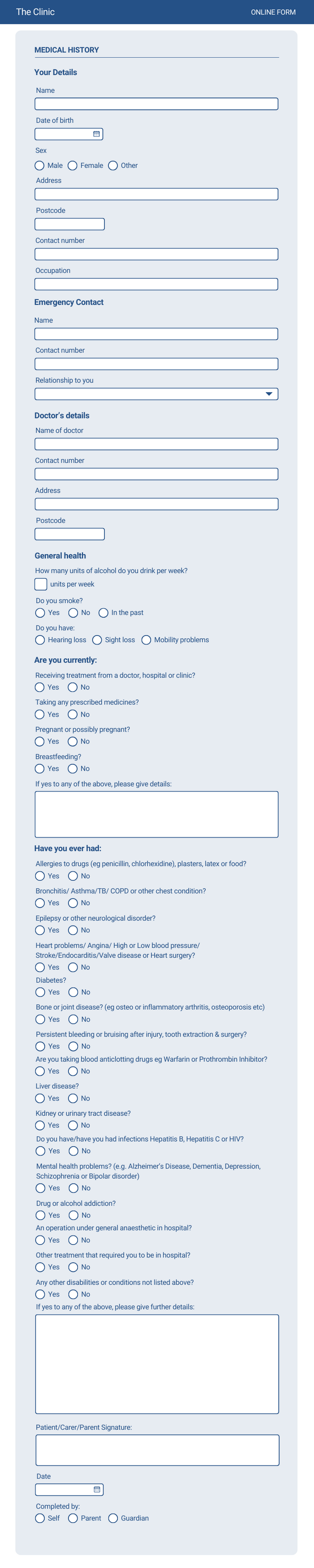
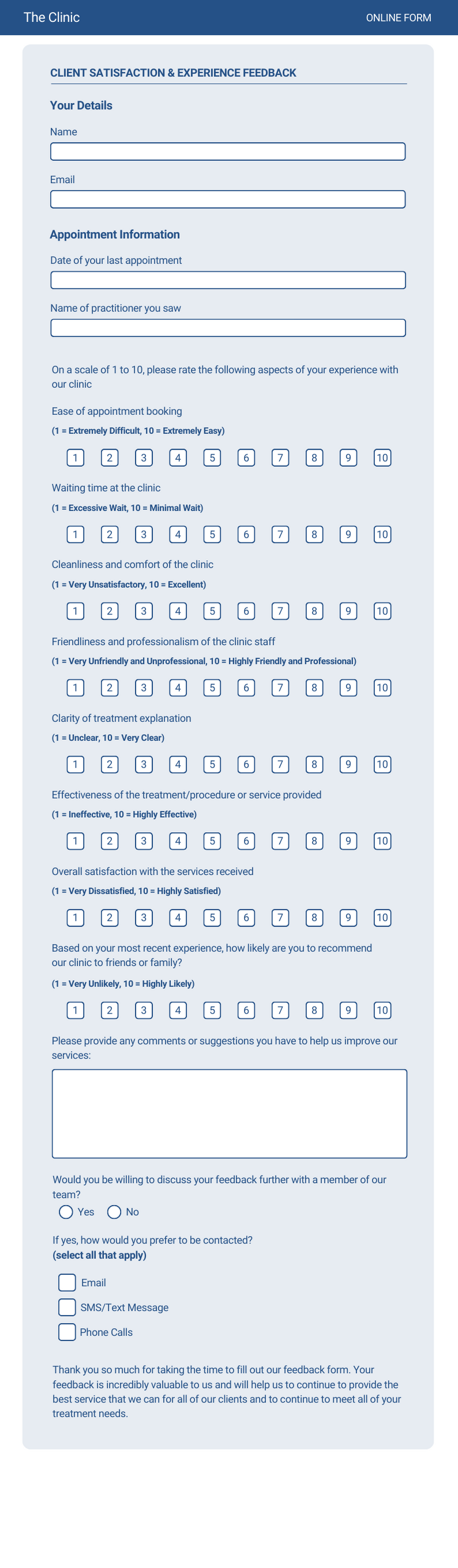

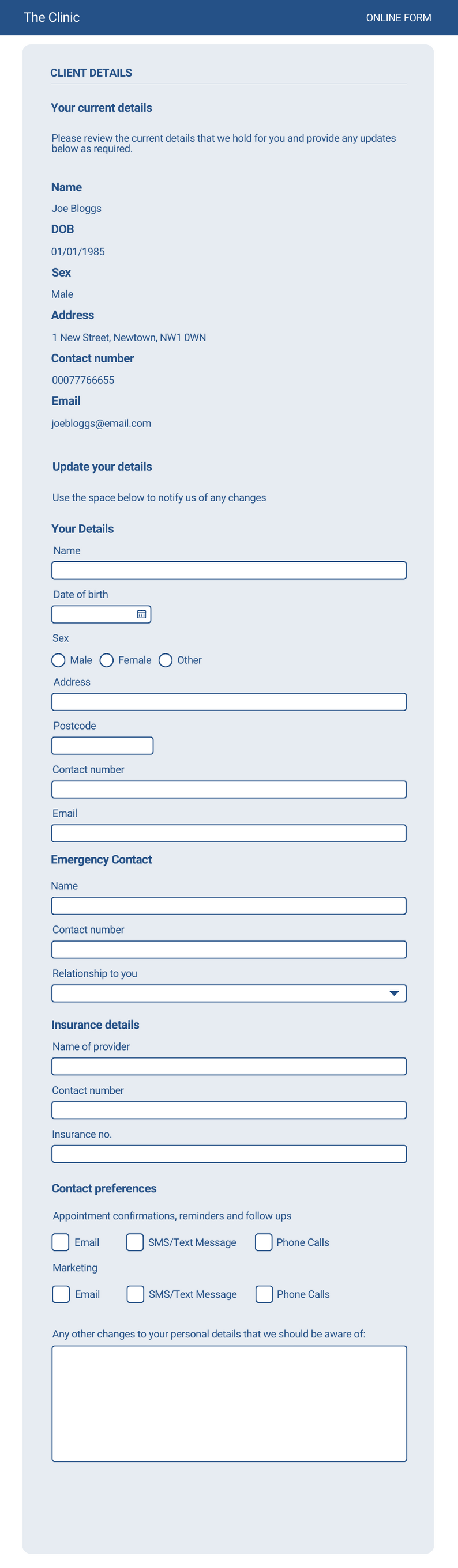
Click the titles above to view a preview of each form. If you would like any of these templates added to your PPS database, just let our support team know by emailing support@rushcliff.com
You may also find some guidance or resources from your discipline’s societies or governing bodies.
Good luck!
Don’t forget, if you need any help with using Online Client Forms, our support team are always on hand via LiveChat, email: support@rushcliff.com or telephone!
We also offer unlimited online training. Book your free 1:1 session