
Less typing. More treating.
PPS Scribe is a secure AI medical scribe built into PPS. It listens to your consultation and turns it into a structured, discipline-specific clinical note automatically — reviewed and saved to the client record with a single click. The Free tier is already included with every PPS account, so you can start today.
An AI medical scribe made for allied health, not adapted for it
Real-time transcription
Watch the transcript build on screen as you talk, so you always know what's being captured.
Smart pause & resume
Recording automatically pauses during silence and resumes when the conversation picks back up.
Discipline-specific formats
Notes are structured for the way your discipline documents a consultation, including SOAP format.
One-click save to PPS
Approve the finished note and it's saved straight into the client's PPS record — no copy-pasting.
Consent-first & secure
Built for healthcare, with secure authentication and encrypted handling of every recording.
Daily appointment overview
See which sessions are scheduled and which have already been recorded, at a glance.
From appointment to notes in minutes
Log in with PPS
Use your existing PPS credentials — nothing new to set up.
Select the session
Choose the client and appointment from your daily overview.
Start recording
Gain consent, then start — PPS Scribe runs quietly in the background.
Watch it transcribe
See the transcript build in real time, pausing automatically during silence.
Review & edit
Edit the note or regenerate it as many times as you need.
Save to PPS
One click saves the structured note straight to the client's record.
Pick the plan that fits your caseload
The Free tier is already included with every PPS account — pick a paid tier below if your caseload needs more.
Occasional
A few consultations a week
Light
Working part-time hours
Standard
A regular caseload — where most people land
Complete
A full caseload, no consultation limit
All prices are subject to UK VAT where applicable.
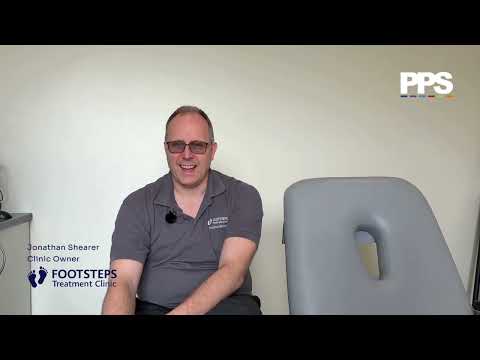
Hear from Footsteps Treatment Clinic
Footsteps Treatment Clinic on how PPS Scribe changed their consultations.
Common questions about PPS Scribe AI
An AI medical scribe is software that listens to a clinical consultation and automatically turns it into structured written notes, removing the need to type or dictate them afterwards. PPS Scribe is an AI medical scribe built specifically for allied health practices, producing discipline-specific note formats such as SOAP and saving them directly into the client's PPS record.
You log in with your existing PPS credentials, select the client session, and start recording once consent has been given. PPS Scribe transcribes the consultation in real time, automatically pausing and resuming during silence, then generates a structured note you can review, edit or regenerate before saving it to the client's PPS record in one click. You don't need to change how you run a session — PPS Scribe works in the background.
Yes. PPS Scribe is designed to work alongside Private Practice Software, using your existing PPS login and linking directly to your diary and client records, so notes are saved straight into the correct file.
Accuracy depends on audio quality, but PPS Scribe is designed to produce a strong, editable first draft rather than a final, unreviewed note. You can edit the transcript, add missing context, or regenerate the note as many times as you need before anything is saved to the client's record.
PPS Scribe has a free tier for up to 3 consultations per week per practitioner (90 minutes per consultation, 20 note regenerations per week, no payment details needed), plus four paid tiers priced per practitioner, per month, based on how many consultations you record: Occasional at £12/month for up to 10 consultations a week, Light at £20/month for up to 20 consultations a week, Standard at £34/month for up to 40 consultations a week, and Complete at £45/month for unlimited consultations. Every tier includes real-time transcription, discipline-specific note formats and one-click saving to PPS.
Yes — every PPS account already includes the Free tier by default, so there's nothing to sign up for. It covers up to 3 consultations per week with no payment details required. Log in and start using it straight away, or upgrade to a paid tier if your caseload needs a higher weekly allowance.
Yes. You must inform the client and gain their consent before recording a consultation with PPS Scribe. If a client declines, you can continue taking notes manually as normal.
Yes. PPS Scribe is built for healthcare use, with secure authentication and encrypted data handling, and meets UK GDPR requirements. Recordings and transcripts are used only to generate your clinical notes and are processed securely within the PPS environment — your data is not used to train AI models.
No. Your recordings, transcripts and notes are used only to generate your own clinical documentation. They are not used to train PPS Scribe's AI models, or any other AI models, and are not shared with third parties for machine learning purposes. Your data stays within the secure PPS environment.
Nothing is saved to the client's PPS record automatically. You can edit the transcript, add extra context, or regenerate the note as many times as you like before you approve and save it.
PPS Scribe is built for allied health professionals using PPS, including physiotherapy, podiatry, occupational health and other private healthcare disciplines, with note formats tailored to how each discipline documents a consultation.
Give yourself 5+ hours back every week
The Free tier is already included with your PPS account — log in and start recording today, or book a 15-minute demo to see how PPS Scribe fits into your consultations.
See PPS Scribe in context
Physiotherapy practice software
See how PPS Scribe fits into a full physiotherapy workflow, from booking to billing.
ExplorePodiatry practice software
Discipline-specific note formats built for podiatry consultations.
ExploreOccupational health software
PPS Scribe for OH consultations, structured for occupational health reporting.
Explore